
Licenses
Last updated: August 28, 2026
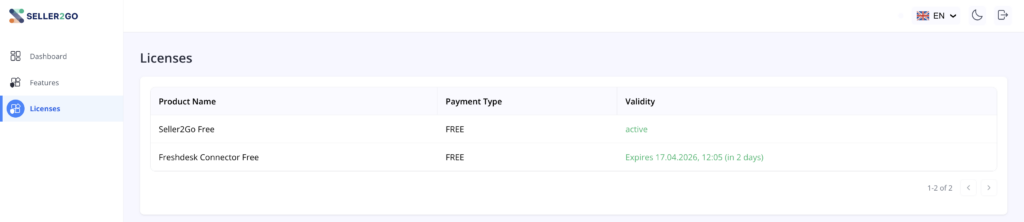
The “Licenses” section shows an overview of the products available or active in the account and their current validity status.
What is shown in this section?
In this view, the existing licenses are displayed in table form. In your example, the table contains the following columns:
- Product name
- Payment type
- Validity
Visible entries in your example
At the moment, two entries are visible in the overview:
- Seller2Go Free
- Freshdesk Connector Free
In addition, the respective status is shown, for example:
- FREE as the payment type
- active as the active status
- for time-limited licenses, an indication of the expiration date
- plus a relative notice such as “in 3 days”
What is this section useful for?
This view is intended to quickly check:
- which products are currently stored in the account
- whether a license is active
- whether a trial period will end soon
- which product is being used free of charge or as a paid product
✓ Note:This section is especially important for trial licenses because it lets you immediately see how long the validity will continue.
✓ Important:If a specific date is shown here for a license, it refers to the expiration date or remaining validity of that license.
Other visible elements
In your screenshot, there is also a small navigation or page indicator at the bottom right, for example: 1–2 of 2. This shows that the license list can generally contain multiple entries.
Result of this section
After opening the “Licenses” section, you can directly view the current license status of all booked or tested products.
Completed:
- license overview opened
- existing products checked
- payment type reviewed
- term or validity checked