
User Management
Last updated: August 28, 2026
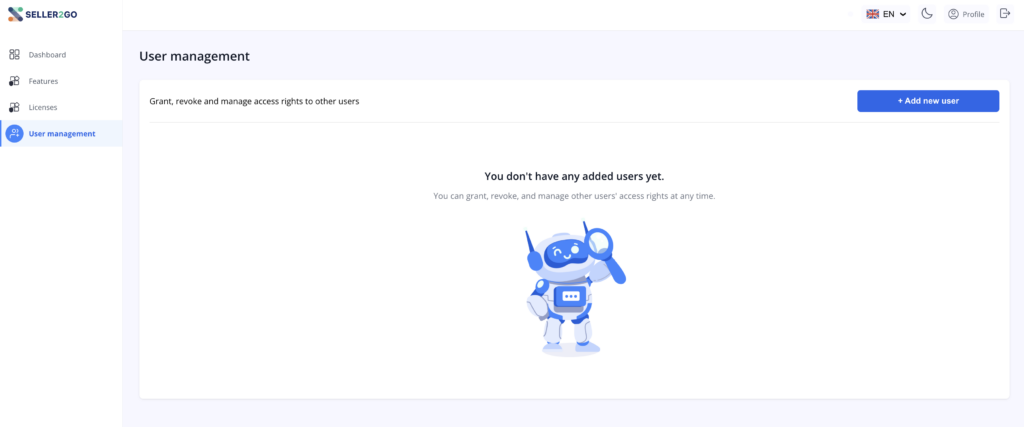
In the “User Management” section, you can add additional users to the account and manage their access.
Purpose of this section
Here, you can give other people access to your Seller2Go account. According to Seller2Go’s description, permissions for other users can be:
- granted
- revoked
- managed
If no additional users have been created yet, an appropriate empty state with an informational message will appear.
Add a new user
Click the “+ Add New User” button to open a form where the new user can be entered.
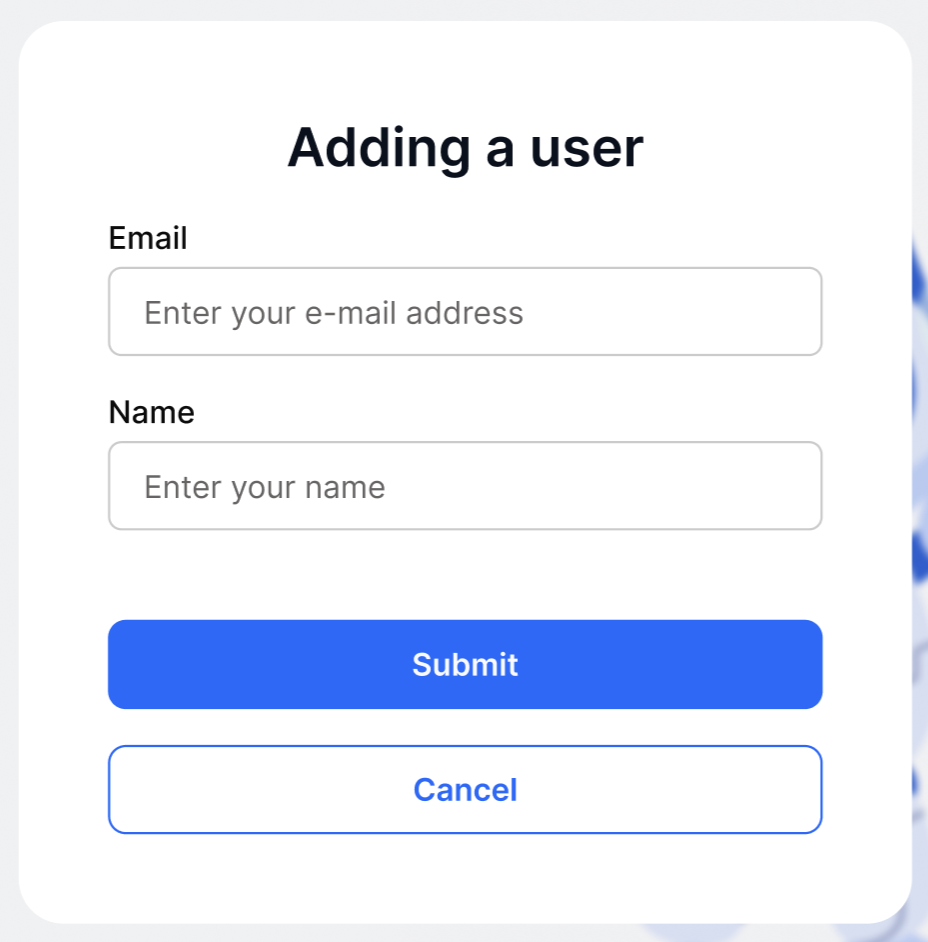
The following information is captured in this form:
- Name
After that, the process can be completed with “Submit” or canceled with “Cancel.”
✓ Note:At this stage, the user is only created or invited. Actual access is only activated after the invitation has been accepted.
Invitation by Email
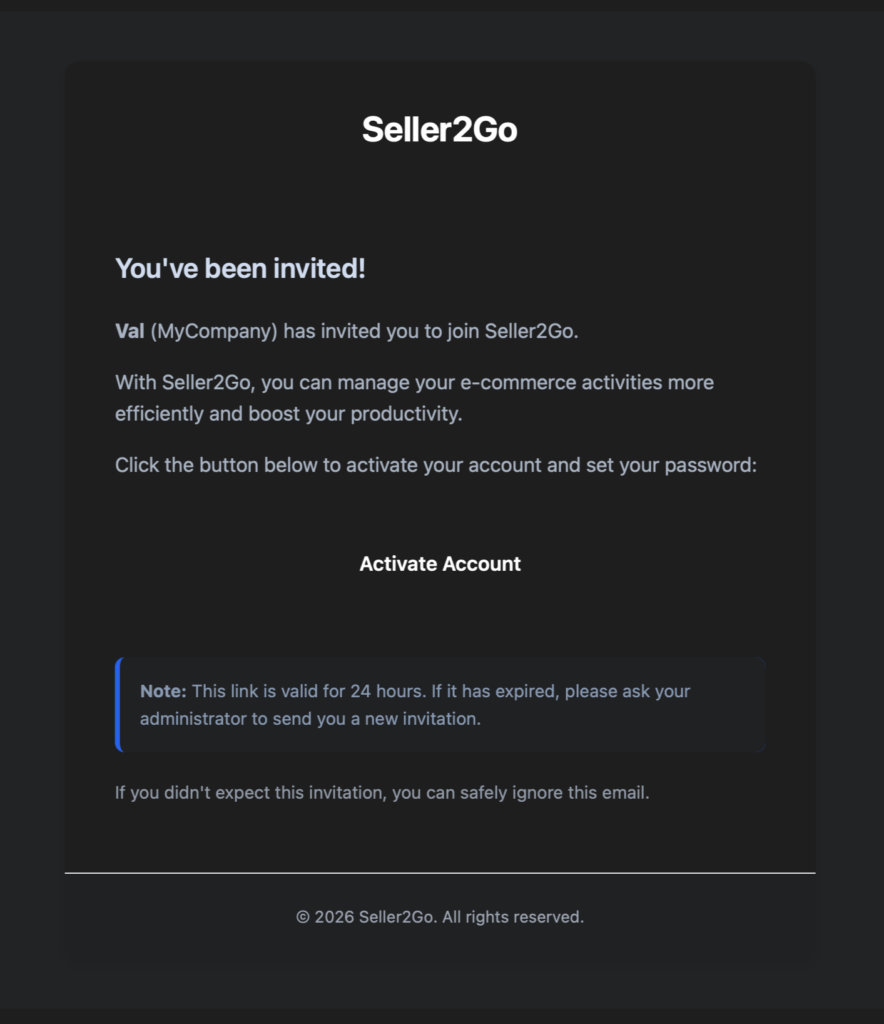
After the user has been added, the invited person receives an email with an activation link.
Contents of the invitation
The email informs the user:
- that they have been invited to Seller2Go
- who the invitation came from
- that the account can be activated using the “Activate Account” button
In addition, the email contains a note that the link is valid for 24 hours.
✓ Important:If the link has expired, a new invitation must be sent.
✓ Note:If the invited person was not expecting the invitation, the email can simply be ignored. This note is also included in the email itself.
Activate the Account
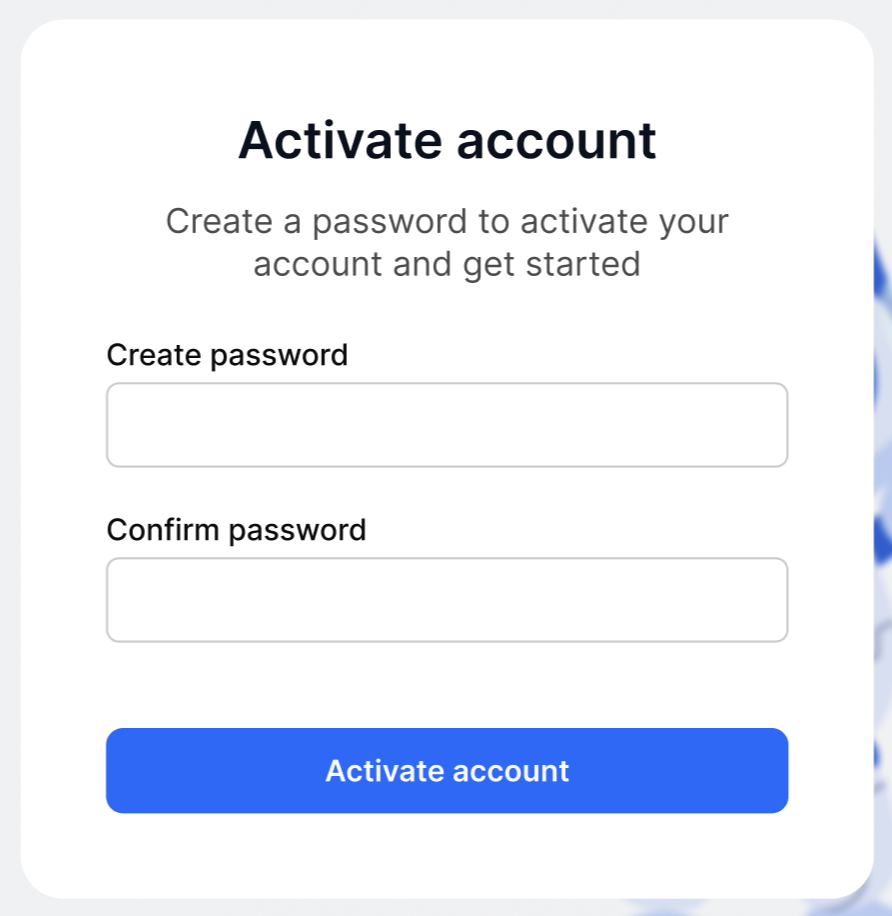
After clicking the activation link, the invited user is taken to an account activation page.
What does the user need to do here?
To activate the account, the user must:
- create a password
- confirm the password
- complete the process by clicking “Activate Account”
Only after that is access fully set up.
Result for the invited user
After successful activation, the user can log in with their credentials and gains access to the shared area of the Seller2Go account.
✓ Important:Without this activation step, the invitation may have been sent, but the user account setup is not yet complete.
Result of this section
After completing these steps, another user can be successfully invited to Seller2Go and activated.
Completed:
- “User Management” section opened
- new user created
- invitation email sent
- activation link opened
- password set
- user access activated